Portraiture with the Rolleiflex 6008 Professional
Total Page:16
File Type:pdf, Size:1020Kb
Load more
Recommended publications
-

Phase One H 20 Getting Started
H 20 GETTING START E D PostScript billede (black logo) Phase One A/S Phase One U.S. Roskildevej 39 24 Woodbine Ave DK-2000 Frederiksberg Northport, New York Denmark 11768 USA Tel +45 36 46 01 11 Tel +1 631-757-0400 Fax +45 36 46 02 22 Fax +1 631-757-2217 Notice The name Phase One is a trademark of Phase One A/S. The names Hasselblad, Mamiya and Rollei are registered trademarks of their respective companies. All specifications are subject to change without notice. Phase One takes no responsibility for any loss or damage sustained while using their products. This manual ©2003, Phase One A/S Denmark. All rights reserved. No part of this manual may be reproduced or copied in any way without prior written permission of Phase One. Printed in Denmark. Part #: 80016001 Table of Contents 1 Contents 1 I n t r o d u c t i o n . .2 2 Special Phase One H 20 features . .3 ISO Settings . .3 Double exposure protection . .3 IR filter on CCD . .4 Large format photography . .4 3 Getting ready for taking pictures . .6 Mounting the viewfinder mask . .6 Mounting the H 20 on a Hsselblad Camera . .7 Cable mounting on Hasselblad . .8 Hasselblad 553 ELX . .9 Hasselblad 555 ELD . .10 Hasselblad 501 CM and 503 CW . .10 Mamiya RZ67 Pro II . .11 Rolleiflex 6008 AF/Integrale . .13 4 Maintenance . .17 Cleaning the IR filter . .17 5 Technical data . .18 1 H 20 Getting Started 1 Introduction The Phase One H 20 single shot camera back, is designed for high-end advertising studios with a need for productivity, flexibility and the absolute best in image quality. -
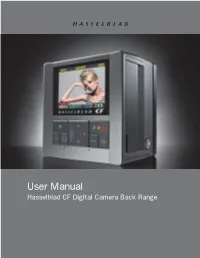
User Manual Hasselblad CF Digital Camera Back Range C O N T E N T S
User Manual Hasselblad CF Digital Camera Back Range C O N T E N T S Introduction 3 5 MENU—ISO, White balance, Media, Browse 31 1 General overview 6 Menu system overview 31 Parts, components and control panel 8 Navigating the menu system 31 Initial setup 10 Language choice 33 Shooting and storage modes 11 ISO 33 White balance 34 2 Initial General Settings 14 Media 34 Overview of menu structure 15 Browse 35 Setting the menu language 17 6 MENU—Storage 36 Delete 37 3 Storage overview – Format 42 working with media and batches 18 Copy 42 Batc hes 18 Batch 43 Navigating media and batches 18 Default Approval Level 44 Creating new batches 20 Using Instant Approval Architecture 21 7 MENU—Settings 45 Reading and changing approval status 22 User Interface 46 Browsing by approval status 22 Camera 48 Deleting by approval status 23 Capture sequence 50 Connectivity 51 4 Overview of viewing, deleting Setting exposure time/sequence 54 and copying images 24 Miscellaneous 56 Basic image browsing 24 About 57 Choosing the current batch 24 Default 58 Browsing by approval status 24 Zooming in and out 24 8 Multishot 59 Zooming in for more detail 25 Thumbnail views 25 General 59 Preview modes 26 Histogram 27 9 Flash/Strobe 60 Underexposure 27 General 60 Even exposure 27 TTL 60 Overexposure 27 Full-details 27 10 Cleaning 61 Battery saver mode 28 Full-screen mode 28 11 Equipment care, service, Overexposure indicator 28 technical spec. 63 Deleting images 29 General 63 Transferring images 29 Technical specifications 64 Inset photo on cover: © Francis Hills/www.figjamstudios.com.Not all the images in this manual were taken with a Hasselblad CF. -
Possibilities of Processing Archival Photogrammetric Images Captured by Rollei 6006 Metric Camera Using Current Method
The International Archives of the Photogrammetry, Remote Sensing and Spatial Information Sciences, Volume XLII-2, 2018 ISPRS TC II Mid-term Symposium “Towards Photogrammetry 2020”, 4–7 June 2018, Riva del Garda, Italy POSSIBILITIES OF PROCESSING ARCHIVAL PHOTOGRAMMETRIC IMAGES CAPTURED BY ROLLEI 6006 METRIC CAMERA USING CURRENT METHOD A. Dlesk 1,*, P. Raeva 1, K. Vach 2 1 Department of Geomatics, CTU in Prague - adam.dlesk@gmail.com 2 EuroGV s.r.o. - vach@eurogv.cz Commission II, WG II/8 KEY WORDS: Rollei 6006 metric, Photo negatives, Structure from motion, Archival data, Close range photogrammetry ABSTRACT: Processing of analog photogrammetric negatives using current methods brings new challenges and possibilities, for example, creation of a 3D model from archival images which enables the comparison of historical state and current state of cultural heritage objects. The main purpose of this paper is to present possibilities of processing archival analog images captured by photogrammetric camera Rollei 6006 metric. In 1994, the Czech company EuroGV s.r.o. carried out photogrammetric measurements of former limestone quarry the Great America located in the Central Bohemian Region in the Czech Republic. All the negatives of photogrammetric images, complete documentation, coordinates of geodetically measured ground control points, calibration reports and external orientation of images calculated in the Combined Adjustment Program are preserved and were available for the current processing. Negatives of images were scanned and processed using structure from motion method (SfM). The result of the research is a statement of what accuracy is possible to expect from the proposed methodology using Rollei metric images originally obtained for terrestrial intersection photogrammetry while adhering to the proposed methodology. -

First Experiences with the New Digital Camera Rollei D7 Metric
FIRST EXPERIENCES WITH THE NEW DIGITAL CAMERA ROLLEI D7 METRIC Prof. Dr.-Ing. Guenter Pomaska FH Bielefeld, University of Applied Sciences Department of Architecture and Civil Engineering Artilleriestr. 9 D-32427 Minden eMail: gp@imagefact.com CIPA Working Group II / V Keywords: Digital camera,CCD-sensor, digital photography Abstract: Numerous digital cameras with megapixel resolution are available today. The requirements to a metric camera are a fixed focus and focal length, known lens distortion and known position of the principle point relative to the sensor elements. Application software has to provide correction of those deformations. Image quality can be very important when using correlation procedures. Focusing on new presentation technologies like texture mapping, panoramic images, digital stereo pictures and internet presentation is a legitimation for those kind of cameras. Rollei Fototechnic has introduced a new digital camera with SLR technique, fixed focus and focal length and a sensor with 1.4 million pixels. Images are stored in a raw data format and can be corrected under respect of the factory calibration parameters. Details of camera construction and handling are discussed. Some applications best suited for digital camera recording are presented. 1. OPTICAL AND MECHANICAL COMPONENTS OF THE CAMERA The camera is designed in separate groups all assembled in a sturdy metal body. Lens, mirror, viewfinder and sensor are connected to the front plate of the body, while monitor, storage media, electronic elements and interfaces are fixed at the back of the camera housing. Figure 1 displays a principle construction drawing, here with a zoom lens. The SLR single lens reflection principle displays the image in the viewfinder exactly as it will be on the CCD- sensor. -
Color Foba Clrv2.Indd
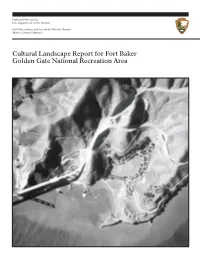
National Park Service U.S. Department of the Interior Fort Baker, Barry and Cronkhite Historic District Marin County, California Cultural Landscape Report for Fort Baker Golden Gate National Recreation Area Cultural Landscape Report for Fort Baker Golden Gate National Recreation Area Fort Baker, Barry and Cronkhite Historic District Marin County, California July 2005 Acknowledgements Special thanks to Ric Borjes and Randy Biallas for getting this project underway. Project Team Pacific West Region Office - Seattle Cathy Gilbert Michael Hankinson Amy Hoke Erica Owens Golden Gate National Recreation Area Barbara Judy Jessica Shors Pacific West Region Office - Oakland Kimball Koch Len Warner Acknowledgements The following individuals contributed to this CLR: Golden Gate National Recreation Area Mai-Liis Bartling Stephen Haller Daphne Hatch Nancy Horner Steve Kasierski Diane Nicholson Nick Weeks Melanie Wollenweber Golden Gate National Parks Conservancy Erin Heimbinder John Skibbe Betty Young Golden Gate National Recreation Area Leo Barker Hans Barnaal Kristin Baron Alex Naar Marin Conservation Corp Francis Taroc PacificWest Region Office - Oakland Shaun Provencher Nelson Siefkin Robin Wills Presidio Trust Peter Ehrlich Ben Jones Michael Lamb Table of Contents Table of Contents Acknowledgements List of Figures .................................................................................................................................iii Introduction Management Summary ................................................................................................................. -
An Analysis of the Art Image Interchange Cycle Within Fine Art Museums
Rochester Institute of Technology RIT Scholar Works Theses 3-1-2010 An Analysis of the art image interchange cycle within fine art museums Evan Andersen Follow this and additional works at: https://scholarworks.rit.edu/theses Recommended Citation Andersen, Evan, "An Analysis of the art image interchange cycle within fine art museums" (2010). Thesis. Rochester Institute of Technology. Accessed from This Thesis is brought to you for free and open access by RIT Scholar Works. It has been accepted for inclusion in Theses by an authorized administrator of RIT Scholar Works. For more information, please contact ritscholarworks@rit.edu. An Analysis of the Art Image Interchange Cycle within Fine Art Museums by Evan Andersen A Thesis submitted in partial fulfillment of the requirements for the degree of Master of Science in the School of Print Media in the College of Imaging Arts and Sciences of the Rochester Institute of Technology March 2010 Primary Thesis Advisor: Professor Dr. Franziska Frey Secondary Thesis Advisor: Professor Franz Sigg Technical Advisor: Susan Farnand Table of Contents Abstract.............................................................................................................................. ix Chapter 1 - Introduction...................................................................................................... 1 Topic Statement........................................................................................................ 1 Significance of Topic .............................................................................................. -

Studio & Equipment Hire
STUDIO & EQUIPMENT HIRE PRICELIST 2019 Profoto PhaseOne Hasselblad Nikon Manfrotto Avenger Hyperjuice Arri LA Rag Redrock Rode Apple Eizo Gitzo eleven40.com.au p: 03 8823 1140 STUDIO HIRE studio@eleven40.com.au ELEVEN40 STUDIO STUDIO HIRE PACKAGES Half Day Full Day STUDIO ONE - Cyclorama $600 $990 An extremely versatile studio for most photography, film or TVC productions. NOTE: Larger scale productions with 15+ total crew, client and talent OR crews recording audio (due to building noise restraints) are forced into booking full access package. + Cambo Studio Tripod + 3 Phase Splitter Box + Mobile Work Desk + Single Phase Splitter Box + 4x C-Stands + 6x 10amp 10m Power Leads + 4x Poly Boards + 4x 15amp 10m Power Leads + Makeup Trolley STUDIO TWO - Multi Space $325 $500 Perfect for smaller shoots and crews. Ideal for Portraits, still life and product photography. + Cambo Studio Tripod + 4x Poly Boards + Mobile Work Desk + Makeup Trolley 200sqm + 4x Master Stands + 4x 10amp 10m Power Leads STUDIO SPACE FULL ACCESS - Studio One & Two $800 $1400 Full access gains use of both Studio One & Two. This allows Studio Two to be turned STUDIO FEATURES skylight into a green room for hair and makeup, client lounge or whatever you see fit. NOTE: Larger scale productions with 15+ total crew, client and talent OR crews recording audio + 3 PHASE POWER SKYLIGHT ADJUSTABLE (due to building noise restraints) are forced into booking full access package. BLACKOUT + + SKYLIGHTS DIFFUSERS + + + Cambo Studio Tripod 3 Phase Splitter Box 2x Scaff Poles - ADJUSTABLE FULL BLACKOUT + Mobile Work Desk + Single Phase Splitter Box + Black Velvets - DIFFUSERS INCLUDED + 4x C-Stands + 6x 10amp 10m Power Leads + Carpet Tiles + 4x Poly Boards + 4x 15amp 10m Power Leads + BARRISTER COFFEE ON SITE + 2x Makeup Trolley + Magliner + HEATING / AIR-CON / WI-FI + 20% OFF STUDIO GEAR HIRE STUDIO HIRE CONDITIONS + COMMERCIAL KITCHEN + 20% Discount on all Eleven40 equipment hire. -

Stativkıpfe 6-S. (E) 20 Neu
FOBA tripod heads FOBA SUPERBALL® M-Line: The small ball head that delivers high performance... The comrehensive FOBA range: The M-Line is the «Light weight» of the SUPERBALL family. FOBA COMBITUBE System Lasting precision and functionality mark the key features of FOBA COMBIROHR System Système de tubes FOBA these two new ball heads (the BENTO and the BENTA). The heads guarantee optimum stability, ergonomic operation and maximum clamping force and are designed to withstand many years of use under harsh everyday conditions. The FOBA SUPERBALL® M-Line is ideal for 35mm SLR and medium-for- mat cameras and ensures both precise camera movement and reliable locking. FOBA tripod heads FOBA Stativköpfe FOBA têtes de trépieds Studiostands, Tripods Stative Pièd à colonne, Trépièd FOBA tripod heads. The camera-tripod safety link. SUPERBALL® M-1 (BENTA) SUPERBALL® M-1 (BENTO) including camera plate with 1/4" thread with quick-release unit. Same product Because of the hollow spaces inside For 35 mm and medium-format cam- features and specifications as BENTA of the housing the M-1 tripod heads are eras. Multifunction locking system, Hight 110 mm very much light weight. High clamping force (4,5 kg for a lever Weight 405 g length of 300 mm), full 360° panoramic rotation, holds up to 8 kg, 3/8" and 1/4" thread adapter Height 90 mm Weight 275 g Deckenschienen-Systeme Systèmes de rails Roof track systems STUDIO-TECHNOLOGY STUDIO-TECHNOLOGY STUDIO-TECHNOLOGY FOBA AG Studio-Technology Friedgrabenstrasse 21 CH-8907 Wettswil Telephone +41 1 700 34 77 Telefax +41 1 700 32 50 info@foba.ch Background tables Aufnahmetische www.foba.ch We reserve the right to make technical changes without notice. -
Carl Zeiss Oberkochen Large Format Lenses 1950-1972
Large format lenses from Carl Zeiss Oberkochen 1950-1972 © 2013-2019 Arne Cröll – All Rights Reserved (this version is from October 4, 2019) Carl Zeiss Jena and Carl Zeiss Oberkochen Before and during WWII, the Carl Zeiss company in Jena was one of the largest optics manufacturers in Germany. They produced a variety of lenses suitable for large format (LF) photography, including the well- known Tessars and Protars in several series, but also process lenses and aerial lenses. The Zeiss-Ikon sister company in Dresden manufactured a range of large format cameras, such as the Zeiss “Ideal”, “Maximar”, Tropen-Adoro”, and “Juwel” (Jewel); the latter camera, in the 3¼” x 4¼” size, was used by Ansel Adams for some time. At the end of World War II, the German state of Thuringia, where Jena is located, was under the control of British and American troops. However, the Yalta Conference agreement placed it under Soviet control shortly thereafter. Just before the US command handed the administration of Thuringia over to the Soviet Army, American troops moved a considerable part of the leading management and research staff of Carl Zeiss Jena and the sister company Schott glass to Heidenheim near Stuttgart, 126 people in all [1]. They immediately started to look for a suitable place for a new factory and found it in the small town of Oberkochen, just 20km from Heidenheim. This led to the foundation of the company “Opton Optische Werke” in Oberkochen, West Germany, on Oct. 30, 1946, initially as a full subsidiary of the original factory in Jena. -

Photo/Grip List
Photo/Grip List Please complete & fax to (347) 823-2309 or Email to NYPR@quixote.com You will be contacted by a Production Rentals Booking Agent ASAP with a quote Job Name: Company Name: Contact Name: Contact Position: Email: Phone: Fax: Shoot Days: Pick-up Date: Return Date: PO#: Job#: Do you have a truck holding? Yes/No: Would you like it pre-loaded? Yes/No: Special Requests/Notes: Our Other New York Offerings Include... Production Supplies, Walkies, WiFi, Strobe Lighting & Grip, Camera, Digital & of course our first-class Motorhomes You Name it, we’ve got it.. Online at Quixote.com Quixote Production Rentals | 1082 Flushing Ave. Brooklyn, NY 11237 | P: 347 448 8414 | F: 347 823 2309 | www.Quixote.com Updated 7/17 Please complete & fax to (347) 823-2309 or Email to NYPR@quixote.com Grip You will be contacted by a Production Supplies Booking Agent ASAP with a quote Grip Grip (cont’d) C Stand 40" Complete $10.00 Sissors Clips $10.00 C Stand 20" Complete $10.00 Cardellini Clamp 2" End Jaw $8.00 Extra C Stand Arm + Knuckle $5.00 Cardelini Clamp 3" Center Jaw $8.00 Large Rolling Base for C Stand $10.00 Duck Bills $8.00 Small Rolling Base for C Stand $10.00 Baby Wall plate (3", 6", or 9") $5.00 Reel Efx Fan w/Rolling Base $75.00 Junior Wall plate $5.00 Kit Stand $10.00 Magic Arm $8.00 Lawn Dart $10.00 Junior Offset Arms $25.00 Preemie Baby $10.00 Baby Offset Arms $20.00 Beefy Baby 3 Riser $12.00 Baby Triple Header $25.00 Low Roller $15.00 Junior Triple Header $25.00 Medium Roller $20.00 Studded C-clamp - 6" $10.00 High Roller $25.00 Studded -
Manual Sinar Repro-EN
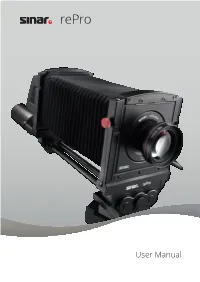
rePro User Manual Thank You! Congratulations on your purchase of this high-quality Sinar product. It was carefully manufactured by using top quality material and thoroughly tested for performance and reliability. We are very pleased you have chosen Sinar and thank you for your confidence. Sinar combines highest demands on technology, materials, design and ease of operation. This equally applies to professional cameras, electronics and accessories. Before use, please read the operating instructions carefully to correctly operate the Sinar rePro camera and fully benefit from all the possibilities and advantages. 3-2-2014 Index 1. Scope of Delivery 4 2. General Information 4 3. Mounting of Digital Backs 5 4. Mounting of Lenses 6 5. Mounting on a Reproduction Stand 7 6. Adjusting on a Reproduction Stand 8 7. Horizontal Shifting of the Rear Standard 9 8. Sinar rePro: Coarse and Fine Focusing 10 9. Sinar rePro RC: Motorized Focusing 11 10. The Bellows Lens Hood 14 11. The Polarization Filter 15 12. Technical Data 16 13. Accessories 17 14. Sinar Core Products 19 rePro User Manual 3 1. Scope of Delivery 2. General Information Scope of Delivery 1x Case rePro 1x Sinar rePro incl. Multipurpose Bellows 100 EL 1x Universal Adaption 1x Allen key ® 1x User Manual Scope of Delivery 1x Case rePro RC 1x Sinar rePro RC incl. Multipurpose Bellows 100 EL long 1x Sinar rePro RC Control 1x Control Cable 3 m 1x Power Supply 1x Universal Adaptation 1x Allen key ® 1x User Manual General Information The Sinar rePro is compatible with the view camera system, so that the accessories for the Sinar p3 camera can be used. -

Rental Catalog Lighting • Grip
RENTAL CATALOG LIGHTING • GRIP SAMYS.COM/RENT TABLE OF CONTENTS STROBE LIGHTING PROFOTO ....................................................................................................................1 BRONCOLOR ..............................................................................................................6 GODOX VIDEO LIGHT ............................................................................................... 10 POWER INVERTERS .................................................................................................. 10 QUANTUM FLASHES & SLAVES ................................................................................. 11 SOFT LIGHTS ............................................................................................................12 BRIESE LIGHTING & ACCESSORIES ...........................................................................13 LIGHT BANKS ............................................................................................................14 POCKET WIZARD REMOTE TRIGGERS .......................................................................15 METERS EXPOSURE METERS ..................................................................................................16 CONTINUOUS LIGHTING LED / TUNGSTEN / HMI .............................................................................................18 HMI LIGHTING ...........................................................................................................19 LED LIGHTS ...............................................................................................................21